Overview of the day:
Week 1 started off in room 8 where Ted introduced us to the competition of RoboSumo, where 2 automated robots are placed in a ring and have to push each other out of a designated boundary. What we will be doing isn’t up to as high of a standard as the examples he showed, but the general objective is the same. Ted introduced us to the Arduino nano computer and set us the initial task of making an LED flash in a simple circuit, as well as coding 2 LEDs to display our team number in binary. We then moved to the lab and conducted the experiments.
Lab work:
When we arrived at the lab we were first assigned into groups (my group members are Adam Byrne and Cillian O’Brien) and then we had to set up an LED in a circuit and write code on the Arduino program that would make the LED flash. Here is a video of the LED running our code which had the LED turn on for 1 second, off for another second and repeat.
Once this was completed we moved onto the real meat and potatoes, which was getting 2 LEDs to flash our team number in binary. There were 3 steps to this. Firstly we had to figure out what our team number actually was in binary. Adam and I were new to this, whereas Cillian had some experience so he helped explain it to us as well as our lecturer Emma Robinson. I found it a tricky concept to grasp but by the end of it I think I had a good idea of how to convert from decimal to binary and vice versa. Then we assembled the circuit, adding a second LED and resistor to our previous one, assigning the diodes to the correct pins on the Arduino.

Once we knew the number in binary we set out coding the sequence on the Arduino. Again, Cillian had experience with this so he showed me and Adam the ropes. How it worked was we had a block of code for each flash of one of the LEDs. The code would tell one of the LEDs to receive current, sustain that for 500ms and then turn off. One LED represented 0 and the other 1.
Emma gave us a good tip to try and find patterns so we could repeat certain parts of the code where there was repetition, meaning that the code would be easier to read and also not be as long. I’m sure this method of working smarter, not harder, will help us when we start working on our project.
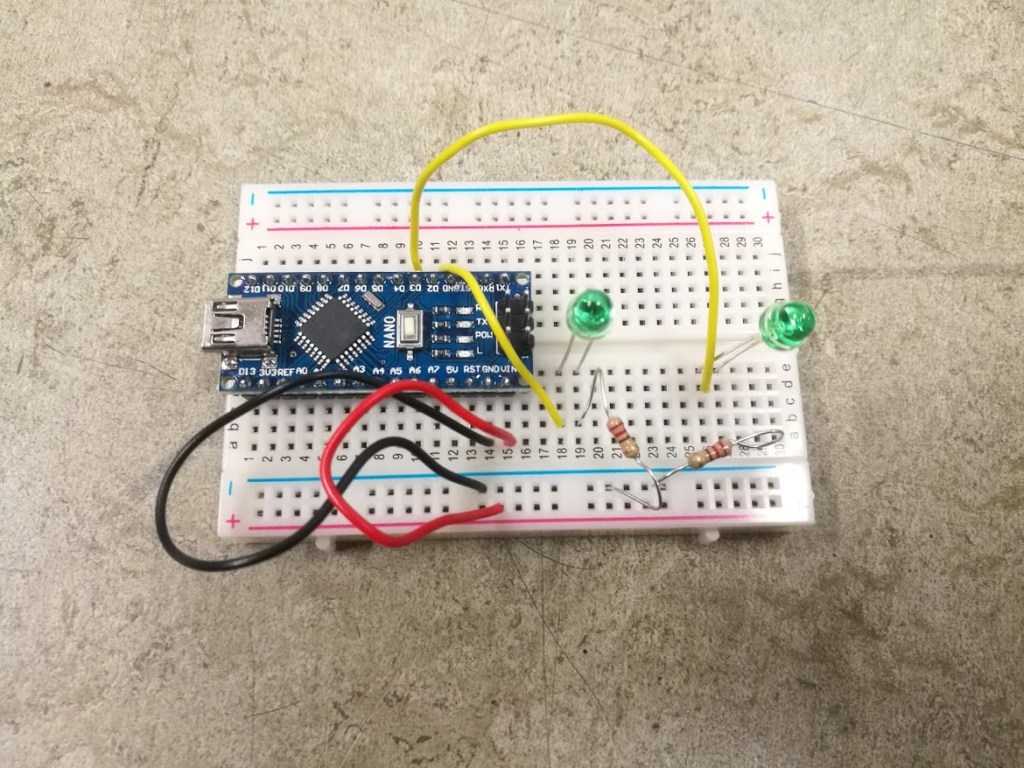
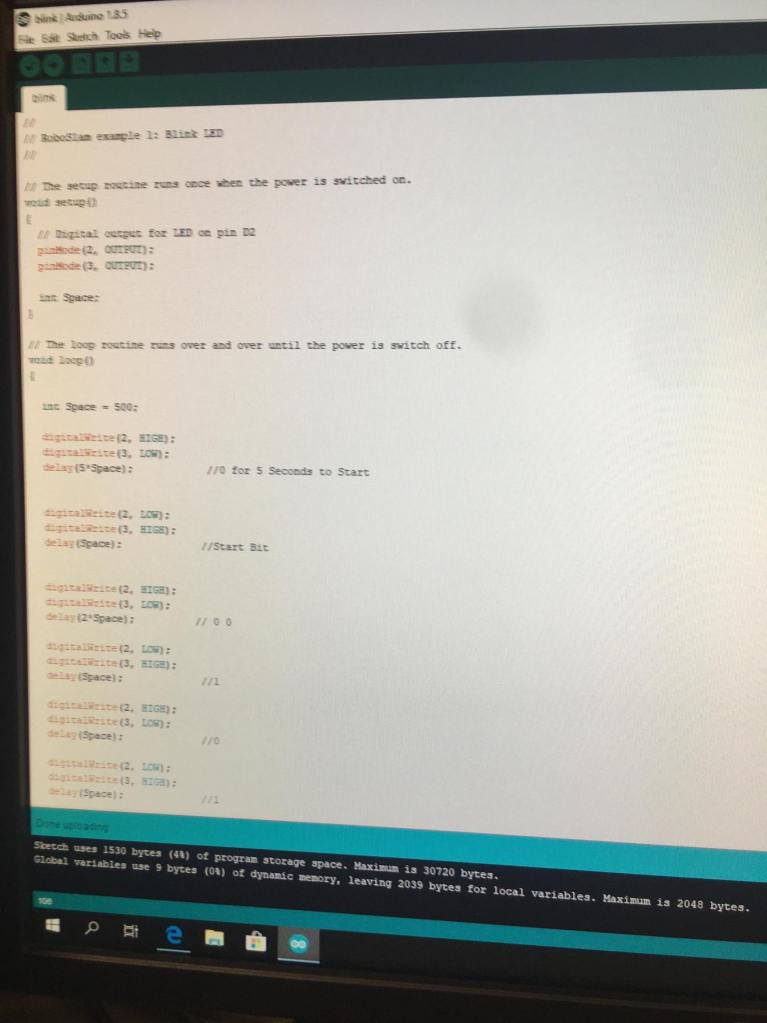
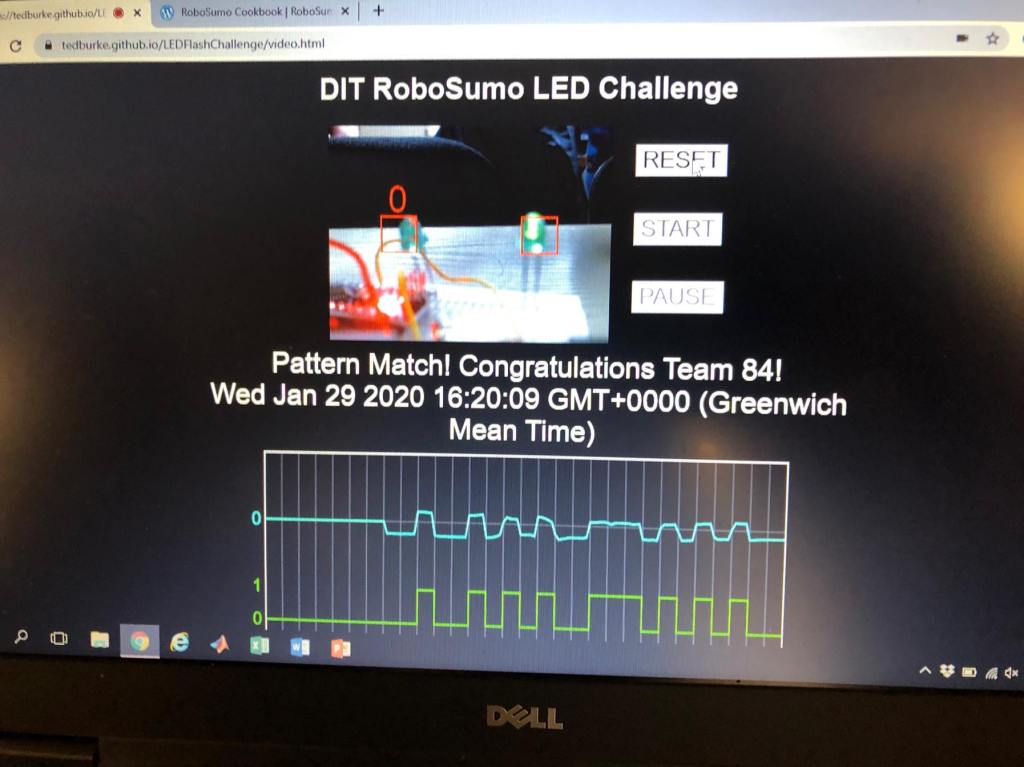
Once we had what we thought was the right code, we placed our circuit in front of the webcam that was recording on Ted’s binary reading website. We then ran the Arduino and pressed start on the website.
Fortunately, our code was a success and the website correctly read our team number (84).
What I learned:
I learned various things this first week. I learned about the basics of Arduino, and how to code it and set inputs and outputs. I learned about the importance of colour coding wires on a breadboard circuit, as being easy to troubleshoot is a key aspect when designing and making circuits. I also learned how to convert a number from decimal form to binary, and the use cases of it.
The challenges my team faced:
One thing I found hard was grasping binary and how to convert from one number system to another, although I think that by the end I had a good, basic understanding of it.
Our tasks for next week:
Being the first week, we haven’t got working on our robot yet and so we don’t have many tasks for next week, apart from writing this blog post of course. Next week we’ll be getting into the swing of things.

