Overview of the day:
We started off in the lecture with Ted explaining the SN754410NE driver chip in more detail. He then introduced us to the momentary switch that we would be using for the tip the can competition, showing us how to wire it up and connect it to the rest of the circuit. He also showed us some example code utilising the switch and motors. Once we got in the lab Cillian and I got to setting up the switch and motors, as well as beginning to figure out the rangefinder.
Lecture:
Ted began the lecture by explaining to us the driver chip in more detail, providing a diagram on the whiteboard. This wasn’t that necessary to us as we had got our motors up and running in conjunction with the chip, although it still furthered my understanding of the chip itself and the various outputs and inputs.
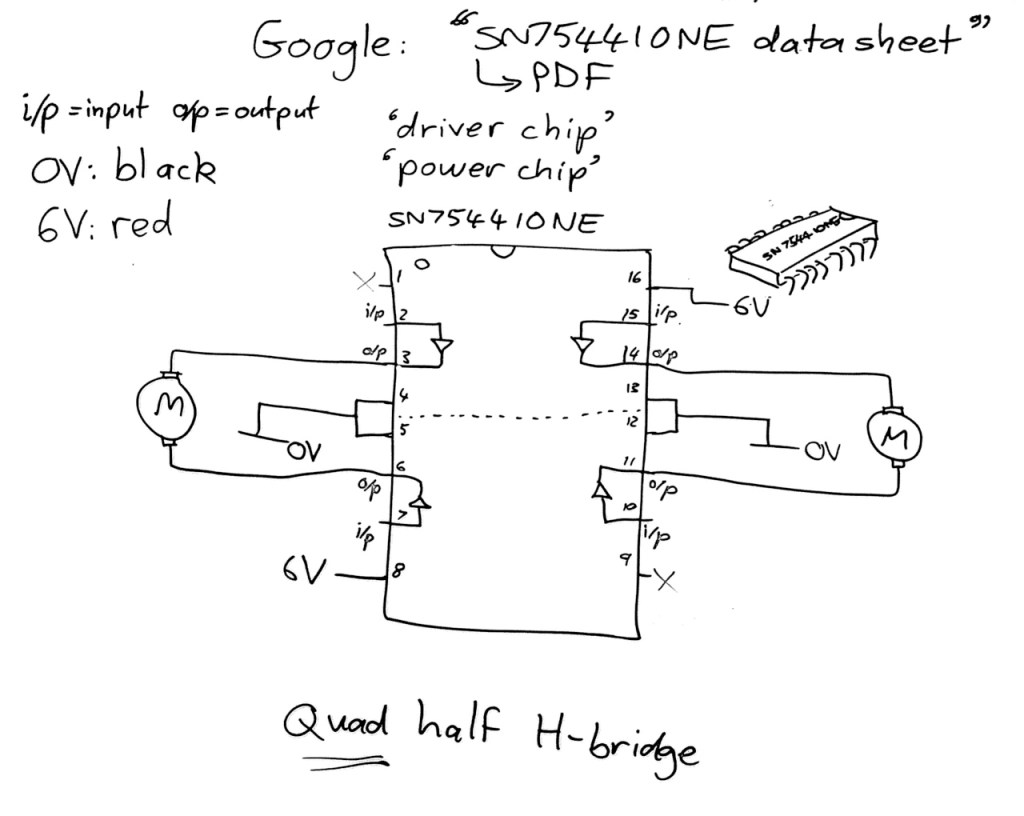
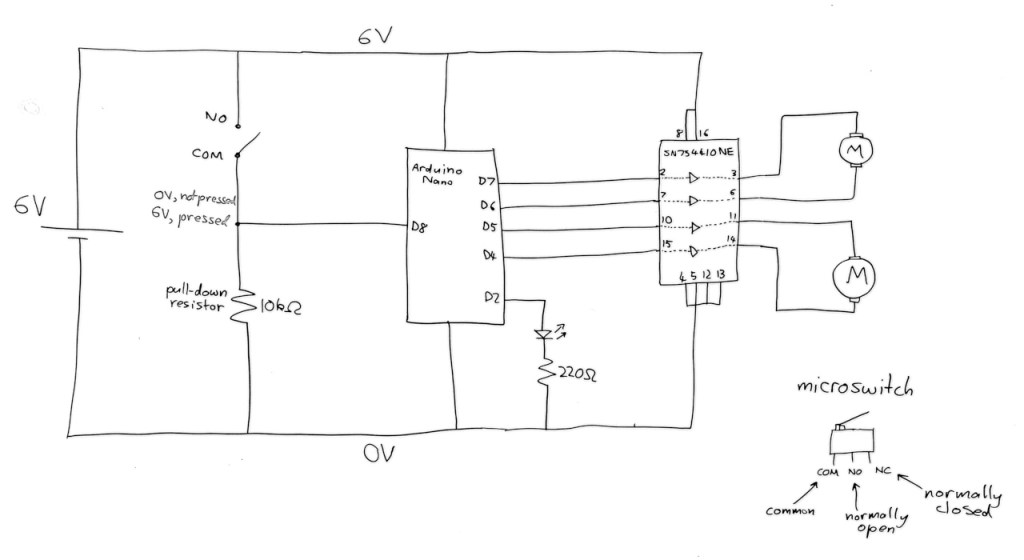
Ted then explained to us how the momentary switch will come into play. It will be used in our robots to activate once the robot has driven into the can, and will then send a signal to the Arduino which will tell the motors to reverse and so the robot will back up from the can. He explained each pin on the switch. The switch had 3 terminals: ‘common’ which went to ground and to a digital output pin on the Arduino, ‘normally open’ which went to positive and ‘normally closed’ which we wouldn’t be using in this instance. He showed in a diagram which can be seen above of how it connects to the circuit. One of the digital pins on the Arduino is connected to the ‘common’ pin as well as ground. The ‘normally open’ pin is connected to 6V, or positive.
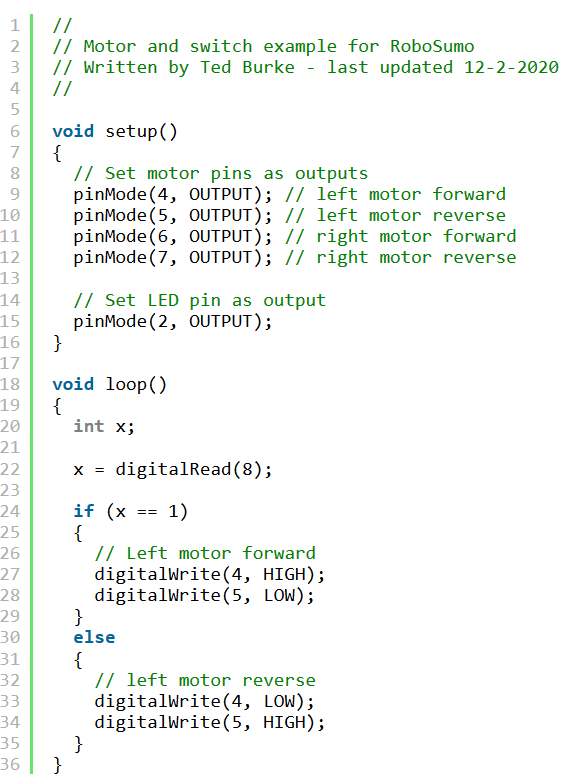
He then proceeded to walk us through an example code of the switch in use. In this example, when the switch is pressed it causes the left motor to reverse direction. The switch is assigned to pin 8 on the Arduino.
This was a good starting point that Cillian and I used when starting to work on the switch in the lab.
Lab Work:
Unfortunately Adam couldn’t make this week, but Cillian and I still got some good work done.
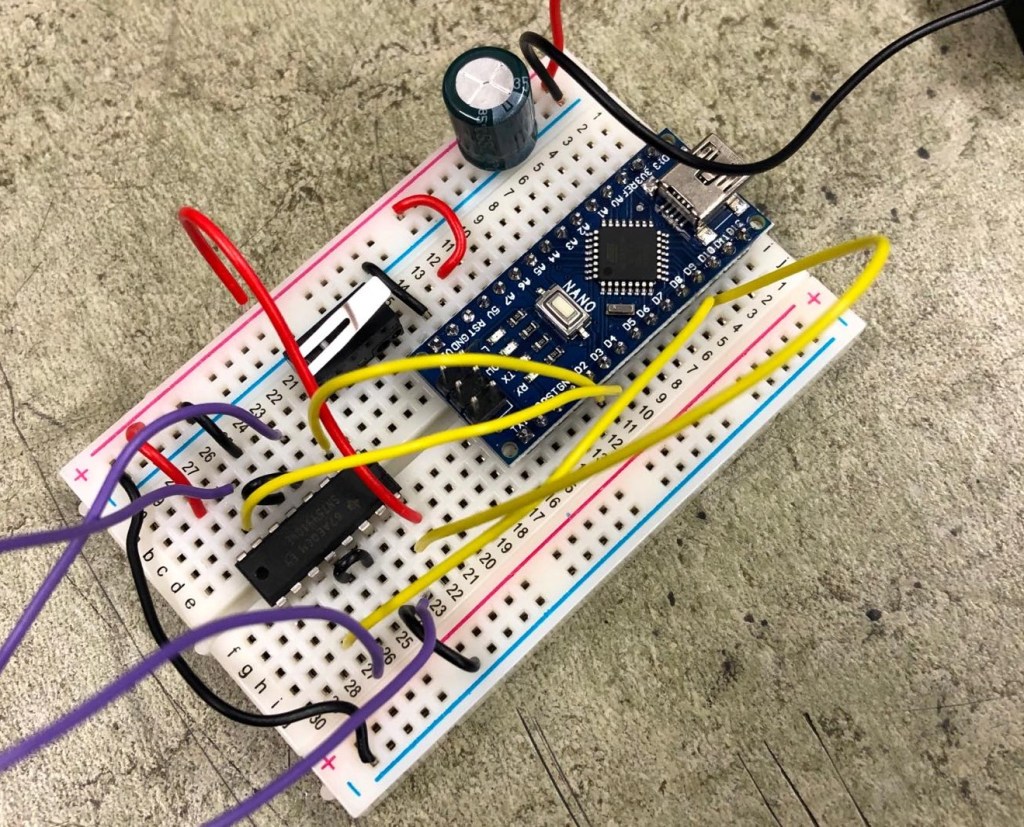
Firstly, we put the switch into our breadboard, wired it up as per Ted’s diagram and implemented Ted’s example code into our code for testing the motors. Cillian is the main coder in our team and so he wrote some code that would have the motors running, but when the switch was depressed they would run in the opposite direction. Here is a video of us testing the switch:
Here are some photos of our setup for testing out the switch:
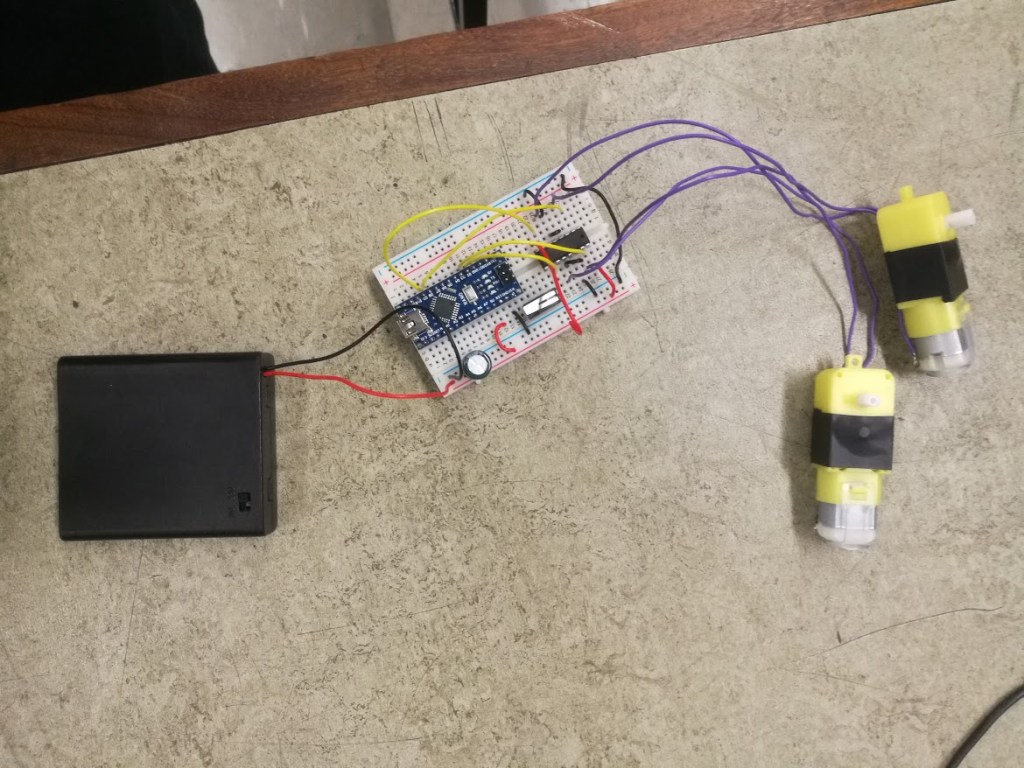
Cillian and I didn’t run into any issues with the switch and we had plenty of time left, so we decided to try and work out how to use the HC-SR04 rangefinder. As Ted hadn’t gone through this during the lecture, we used older articles on the Robosumo cookbook to try and find example code of how to use it. We also asked Sean Moore in our class for some help as he had mostly figured it out already.
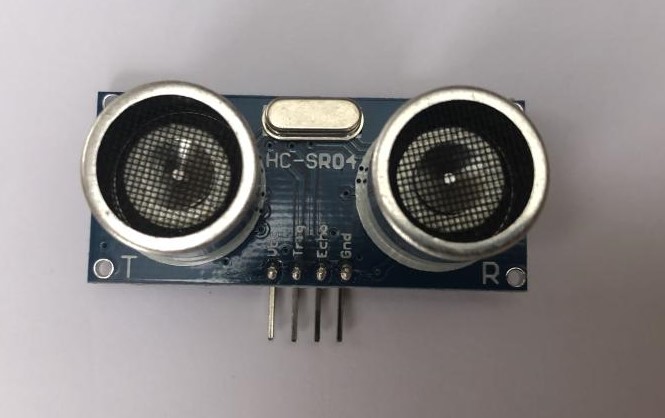
The rangefinder works firstly by sending out an ultrasonic burst or pulse. It then waits for it to reflect off the surface back onto the receiver and times the delay between the two. This means it can be used to calculate the distance it is from other objects.
We will use this sensor to locate the can and then send a signal to the motors to drive forwards, hopefully directly into the can.
Cillian wrote out some code to test the rangefinder, which worked out great:
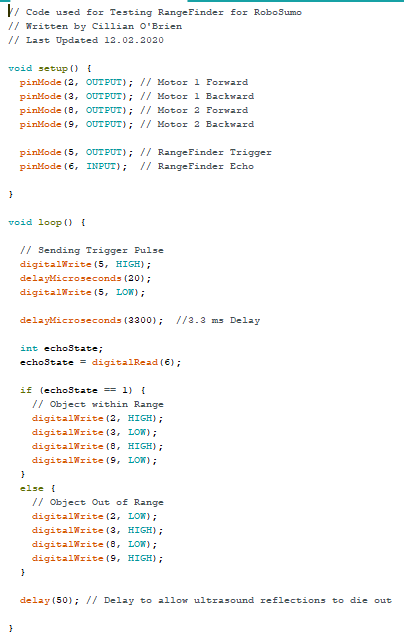
Here is a video of the rangefinder working, the code is set that when it is less than a certain distance from an object it reverses the spin of the motors.
What I learned:
This week I learned more about coding as Cillian explained to me each line of code for the rangefinder. I also learned how to use a basic momentary switch and what the different pins do.
The challenges my team faced:
Cillian and I struggled with the code for the rangefinder initially, but after looking through some example code and getting help from Sean Moore we eventually figured it out.
Our tasks for next week:
For next week we have to research more of what we’re going to use for the chassis. Cillian said that he will do some more work on the rangefinder, cleaning up the code and finalising it.


